
Help
Blind Date with a Book hides the title and blurs the cover, so you choose a book by what is inside it. The common questions are answered here. If yours is missing, write to us at the bottom of the page.
How does it work?
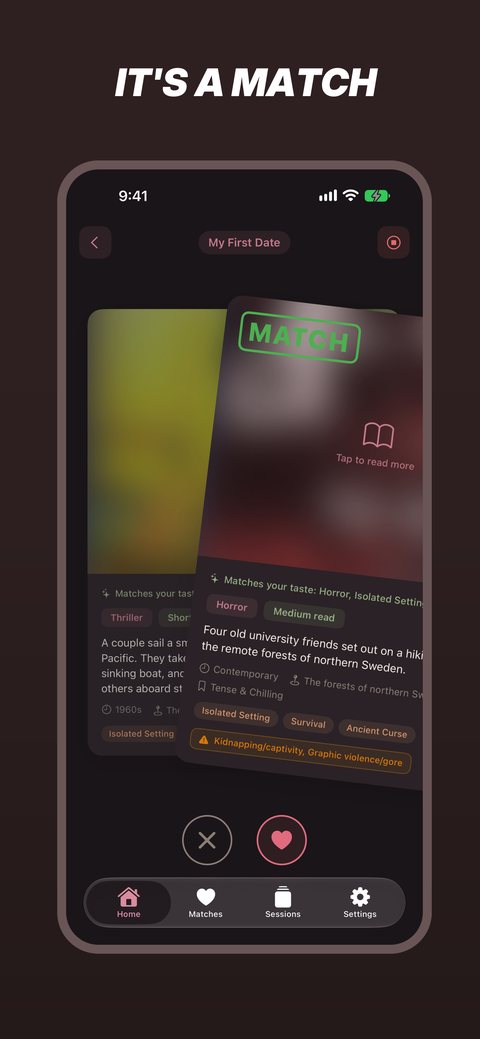
Open the app and you are looking at your first book. There is nothing to set up. Each card gives you the genre, the length, the mood, the setting and a short teaser. Swipe right, or tap the heart, to match. Swipe left, or tap the X, to pass.
How does the app decide what to show me?
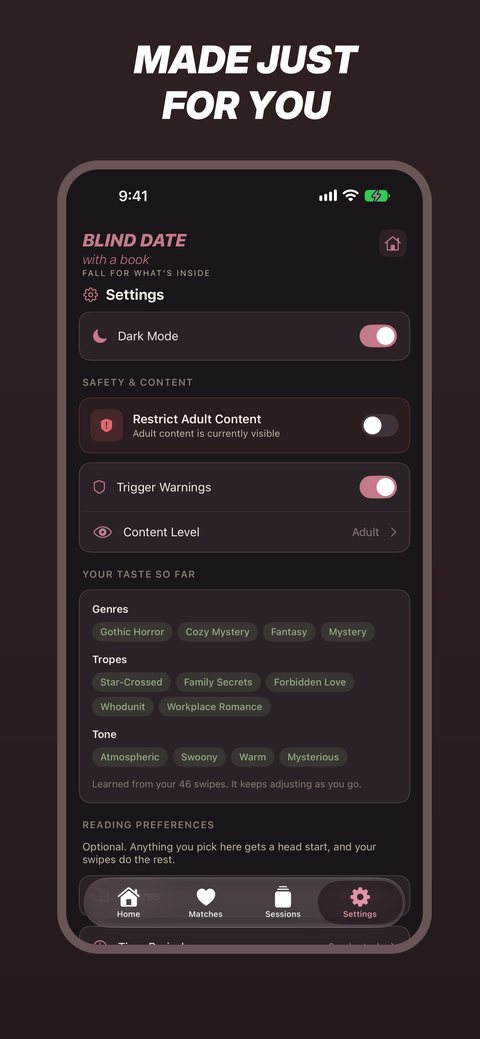
It learns from your swipes. The more books you match with, the more it shows you books like them. Every so often it deals a wildcard, so it can keep learning what you like. Revealing a match, tapping Want This and giving stars all count too.
You can see what it has picked up under Your Taste So Far in Settings. To give it a head start, choose a few genres, tones or tropes (familiar story patterns, such as enemies to lovers) under Reading Preferences. That part is optional.
How do I find out which book I matched with?
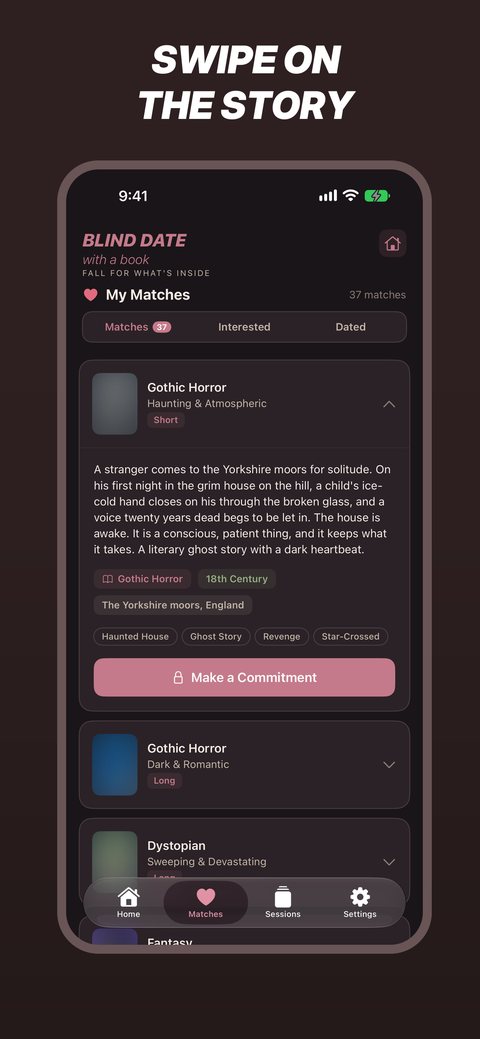
Go to Matches, tap the book, then tap Make a Commitment. The cover, the title and the author appear. Find This Book then gives you links to Amazon, Bookshop.org, Open Library and WorldCat (a catalog that searches the libraries near you), so you can buy the book or borrow it.
What can I do with a book once it is revealed?
Tap Want This to save it to your Interested list. Tap Already Read once you have read it, and the book moves to your Dated list. Tap Rate this date to give it stars. Tap Not for Me to take it off your list.
What is free, and what does the upgrade add?
Free readers get 300 books, spread across every genre, and 10 sessions. After those you get one new session every 24 hours. A session holds up to 50 books.
The upgrade is a single payment with no subscription. It opens the full library of more than 2,200 books, gives you unlimited sessions, and lets you submit or recommend books. The app shows the price before you buy.
I paid for the upgrade and the app does not show it.
In Settings, tap Enter the Dating Pool, then tap Restore Purchase at the bottom of that screen. Use the Apple Account (on iPhone) or the Google account (on Android) you bought it with. This is also how the upgrade moves to a new phone. Apple and Google keep their purchases separate, so an upgrade bought on iPhone does not carry over to an Android phone, and the other way round.
I passed on a book by mistake.
In Settings, open Passed & Not Interested and tap Restore next to the book. It goes back into your dating pool.
How do I control which books appear?
Settings has three controls. Restrict Adult Content limits the library to books marked All Ages. Content Level lets you choose All Ages, Young Adult or Adult. Trigger Warnings shows or hides the content warnings on each card.
A cover, a link or a description is wrong.
In Settings, tap Report an Issue or Broken Link and tell us which book. We check every report.
I am an author. How do I get my book into the app?
On the Home tab, tap Enter the Dating Pool, then I'm an Indie Author. Send us the title, a link, the genre and your pitch. Submitting is part of the upgrade, and you can send up to 10 books a month. We read every submission and write back if the book is a fit.
Readers can recommend a book they love from the same screen.
How do I start over?
In Settings, tap Reset Everything. It clears your sessions, matches, hidden books and reading preferences. Your upgrade and your content restrictions stay as they are.
Still need a hand?
Write to us and a person will answer. Your address is used to reply to you and for nothing else.